Training User Portal Manage Domain
Overview
The goal of this topic is to train you in the management of User Portal Domains. The User Portal system administrator is the responsible for create, update and delete domains in the cases where it is required.
Exercise
In this exercise you will create a new domain "tutorial". To start this training you must Log in into User Portal using credentials of the System Administrator defined during the installation process.
Exercise 1: Create new domain
-
Step 1: Expand menu "Administration" to visualize all menu entries and select "Domains" to list all domains.
REMARK: On the list will appear a domain named "default" which is created automatically during the installation process.
-
Step 2: Click button "New Domain" to open the dialog "Add New Domain".
-
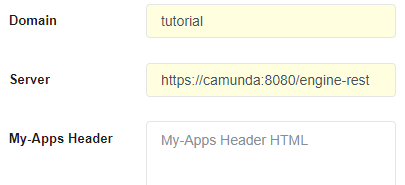
Step 3: Enter the required domain information:
-
Domain: <your domain> (e.g. tutorial)
-
Server: <your server> (e.g. https://camunda:8080/engine-rest)
-
Step 4: Click button "Add" to create the new domain specified.