Training Frontend Service - REST Connector
The following training demonstrate the use of a REST Connector using the xAPPnow Low Code Platform.
A REST Connector provides the possibility of integrate an external system using a HTTP method.
The REST Connector training consists of 2 main topics:
Precondition
Before you can start working with a REST Connector the following preconditions have to be available
-
External System Configuration - configuration of the external system access in the xAPPnow User Portal by the administrator
-
Connection Object - a special kind of a business object containing the external system configuration to access an external service via REST API Connector element
-
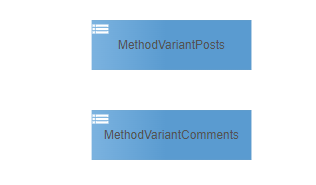
Enum Definition Object - an enum definition object is used to specify the HTTP method variants
-
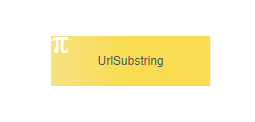
Constant Definition Object - a constant definition object to specify the URL substring of the HTTP method variants
-
Business Object Model - a business object model containing the business object(s) for the JSON input and output
-
Service Integration Model - to specify the REST API using the objects above
-
Error Object & Error Definition Object - special kind of business object and definition object to save possible errors of REST connector
-
Error Handler - submodels to handle business and fatal error of the REST connectorWe will explain in this main topic the common preconditions for both topics and on each of them the specific configuration needed to execute the samples.1. External System ConfigurationAs a first step you need to ask your system administrator of the xAPPnow User Portal to configure the system access of the external system for the specific runtime environment.
-
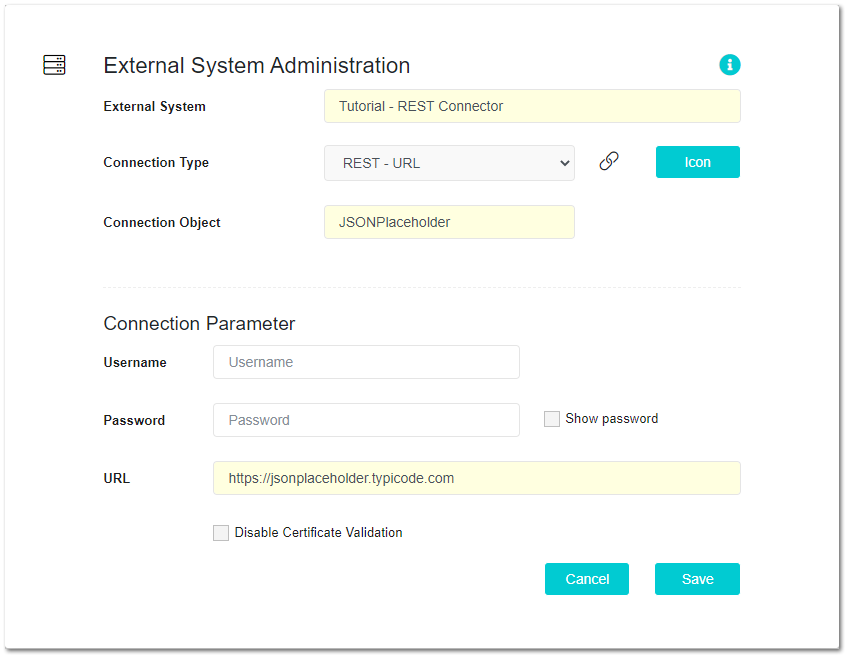
for this sample we use the connection type REST - URL
-
the corresponding connection object used in Modeling Studio will be named JSONPlaceholder
-
username and password are not required for this sampleThe screenshot below demonstrates the xAPPnow User Portal dialog for the external system configuration of the connection object "JSONPlaceholder" to access the REST API at https://jsonplaceholder.typicode.com
 2. Connection ObjectIn a second step you have to add a connection object of type "REST - URL Connection" to a Definition Object Model of your project.
Tutorial Model: Automation/Data Object/Tutorial/Service/RESTConnector/DEF
The screenshot below demonstrates the connection object "JSONPlaceholder", which will be mapped to the REST Connector to provide the external system access configuration.

REMARK:
For security reason, the connection object does not display the attribute names and values of the external system access. A developer must never know the access values to any external system. In addition it is never possible to write any access values into a logfile or display them in a UI page etc.
3. Enum Definition Object
For the samples you have to add two enums to specify the HTTP method variants. Check on each topic the structure of Enum Definition Object.
Tutorial Model: Automation/Data Object/Tutorial/Service/RESTConnector/DEF
4. Constant Definition Object
In a fourth step you have to add a constant definition object to specify the URL substring of the HTTP method variants. Check on each topic the structure of Constant Definition Object.
Tutorial Model: Automation/Data Object/Tutorial/Service/RESTConnector/DEF
5. Business Object Model
For this sample we need two business object "Post" and "Comment" for the corresponing JSON output. Check on each topic the structure of Business Object.
Tutorial Model: Automation/Data Object/Tutorial/Service/RESTConnector/BOM

6. Service Integration Model
After the enum, constant and business objects are specified, we can configure the REST API using a service integration model.
Tutorial Model: Automation/Service Integration/RESTConnector/JsonPlaceholder
We recommend to add a "Service" element to document the name of the external system "JSONPlaceholder" and then connect it with a "HTTP Method" element. A HTTP method element is used to specify the entire REST API (for more details see Method Configuration).
In our sample the services methods "Posts" and "Comments" must be specified in the SubTABs of TAB "Implementation"

7. Error Object & Error Definition Object
Step number seven is very important to handle possible error (e.g. "login exception") that could occur during a REST call.
For each connector type (DB, REST etc.) you have to add a specific Error Definition Object and the related specific Error Object in a project, as well as one generic error BO "GenericError". An Error Object contains error category, error code and error details as well as the boolean attribute isBusinessError (false = Fatal Error). The business object "GenericError" is a general error object to accept all kinds of error and is typically used to display an error in the UI page.
Tutorial Model: Automation/Data Object/Appollo/CommonBO
The screenshot below demonstrates the error object "ErrorREST" which is required for a REST Connector

Tutorial Model: Automation/Data Object/Appollo/CommonDef
The screenshot below demonstrates the error definition object "ErrorREST" which is required for a REST Connector and contains the multi-lingual error codes.
Additionally, the error definition object "ErrorCategory" contains the multi-lingual connector names used in UI pages to display the multi-lingual error category.

8. Error Handling
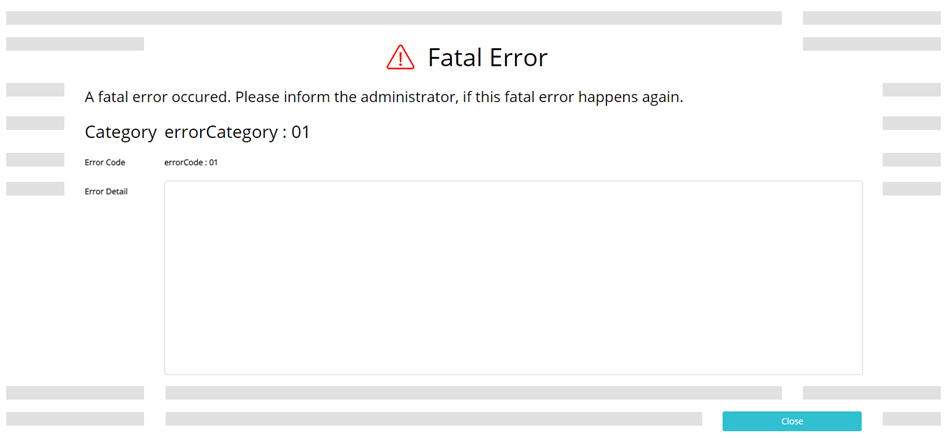
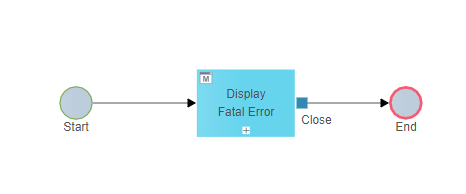
Within this last precondition we will add a submodel for the fatal error handling to the project. The fatal error will be displayed in a multi-lingual UI Dialog "FatalError" plus the stack trace, which can be analysed by the developer or system administrator.
Tutorial Model: Automation/Service/Base/API/FatalErrorHandler
The screenshot below demonstrates the submodel "FatalErrorHandler"
Tutorial Model: Automation/User Interface/Base/UIPage/FatalError
The screenshot below demonstrates the design of the UI dialog "FatalError" at the UI editor