Training Frontend Service - Rest Connector (URL Parameter)
Related subfolder of the training project: "Automation/Service/Tutorial/Service/RESTConnector/UrlParameter"
Chapter Overview
In this training chapter you will get familiar with the REST Connector to integrate an external system using a HTTP method with URL parameter
The tutorial uses a REST API provided by TYPICODE located at https://jsonplaceholder.typicode.com. In this sample we use a REST call to get a list of faked comments, which we will display in a UI table with columns Comment ID, Post ID, Name, Email and the Text of the comment.
The following specification of the REST API must be used
-
Base URL: https://jsonplaceholder.typicode.com
-
HTTP Method: GET
-
URL Substring: /comments?postID={number} (number = 1..100)
-
JSON output: list of string valuesEnum Definition ObjectIn a third step you have to add an enum to specify the HTTP method variants.Tutorial Model: Automation/Data Object/Tutorial/Service/RESTConnector/DEFThe screenshot below demonstrates the enum "MethodVariantComments" used for this tutorial. In our sample we will explain HTTP method variant "GET_COMMENTS_BY_POSTID".
 Constant Definition ObjectIn a fourth step you have to add a constant definition object to specify the URL substring of the HTTP method variants.
Tutorial Model: Automation/Data Object/Tutorial/Service/RESTConnector/DEF
The screenshot below demonstrates the constant definition object "UrlSubstring" providing the URL Substring "comments" used in this tutorial.

Business Object Model
For this sample we need one business object "Comment" for the corresponing JSON output.

Service Integration Model
After the enum, constant and business objects are specified, we can configure the REST API using a service integration model.
Tutorial Model: Automation/Service Integration/RESTConnector/JsonPlaceholder
In this sample the service method "Comments" must be specified in the SubTABs of TAB "Implementation"
-
SubTAB "Method"In this SubTAB the following configuration has to mapped from Sub TABs "Business Objects" and "Definition Objects"
-
URL Substring - "Tutorial.Service.RESTConnector.DEF.UrlSubstring.COMMENTS"
-
Method Variants - "Tutorial.Service.RESTConnector.DEF.MethodVariantComments"
-
Input Object (not necessary for this tutorial)
-
Output Object - "commentLst"
-
Header Object (not necessary for this tutorial)

-
SubTAB "Method Variant"In this SubTAB the method variant has to be specified.
-
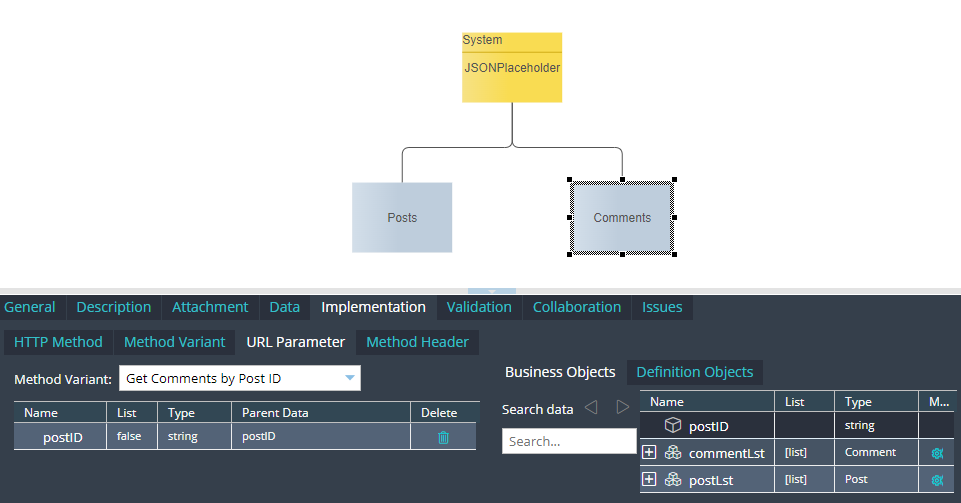
For the current sample we have one variant, which has a parameter. The postId should be entered as a parameter.
-
We can keep the default HTTP GET method in column "Method Type"
-
The variant does not have a body and we keep the default NONE in column "Method Body".

-
TAB "Implementation" SubTAB "Method Parameters"In this SubTAB the postID local attribute should be drag&drop from Sub TAB Businees Object to be mapped with the parameter previously defined on Sub TAB "Method Parameters"
-
TAB "Implementation" SubTAB "Method Headers"In this SubTAB the header keys are specified and mapped with corresponding attributes from SubTAB business objects.In our sample no header is required.
Model Explanation
The frontend service model starts with a REST Connector "Get Comments" to execute a REST call, which returns a list of comments with attributes ID, Comment ID, Email, Name and Text. The returned output list of comments is displayed in UI page "Display Comments". Also in this UI page the Post ID parameter can be entered by the user. By default this parameter is defined on value = 1;In case an error occurs, the call element "Error Handler" is triggered which displays the details of the fatal error in detail in a modal dialog.
Test the Model in User Portal
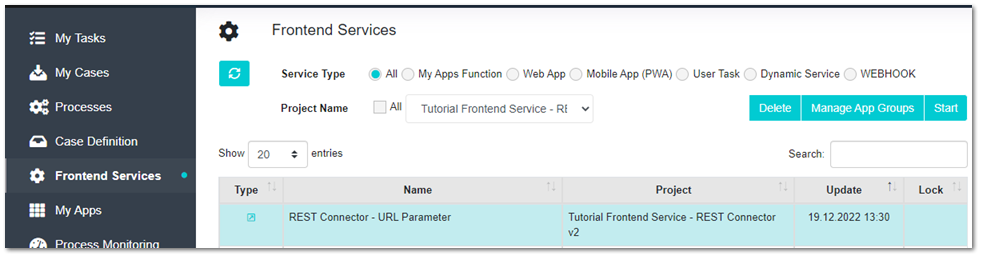
Login into User Portal and open menu "Frontend Service" to start frontend service "REST Connector - Url Parameter"
In UI page "Display Comments" check list of comments