Publish Process Model & User Task Models (User Flow Diagrams)
Chapter Overview
In this training chapter you will publish process model "EasyCredit" into Camunda and user task models "Confirm Credit", "Request Credit" and "Verify Credit" into User Portal.
Exercise
Exercise 1: Publish Process Model "EasyCredit"
-
Step 1: Open process model "Automation/Business Process/Training/EasyCredit" in the model tree
-
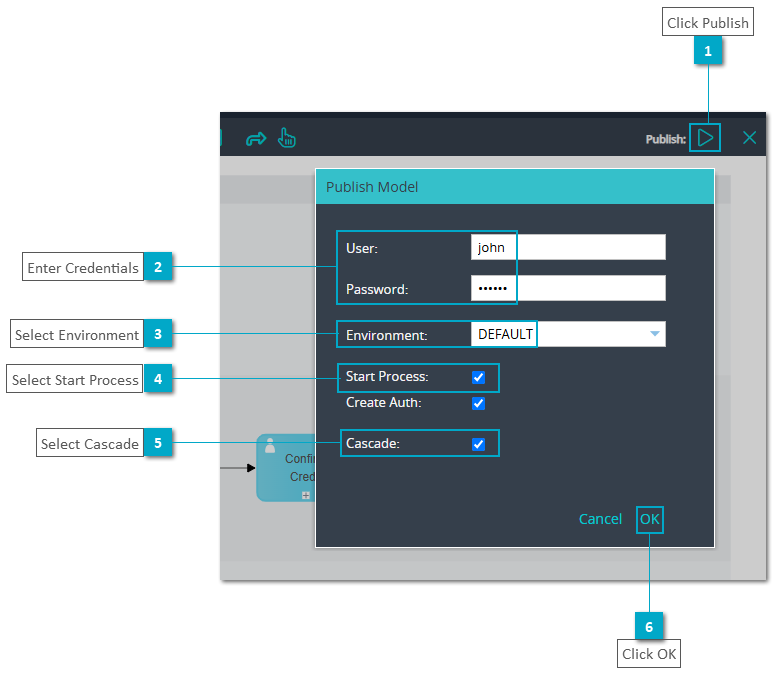
Step 2: Click button "Publish" to open the dialog "Publish Model"
-
Step 3: Enter username and password and set options "Start Process" and "Cascade"
-
Step 4: Click button "OK" to publish the process model