Create Business Object Model "UserData"
Chapter Overview
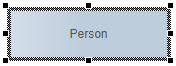
In this training chapter you will create a business object model "UserData", which consists of a Business Object "Person" with two attributes "firstName", "lastName".

Exercise
In this exercise you will create a business object model "UserData" with a business object and two attributes.
Exercise 1: Create Business Object Model "HelloWorld"
-
Step 1: Open TAB "Data" and click button "Create Data Object Model" to open dialog "Create Business Object Model"

-
Step 2: Select folder "Training", enter model name "UserData" and click button "OK" to create the business object model

Exercise 2: Create Business Object "Person"
-
Step 3: Right click to open context menu, select Business Object element to add it and enter label "Person"
-
Step 4: Open TAB "Attributes", click button "New", enter name "firstName" and press key "Enter" to add a new attribute
-
Step 5: Open Sub TAB "User Interface", enter Label "First Name" and Placeholder "Enter..."
-
Step 6: Repeat steps 4 and 5 to create attribute "lastName" with Label "Last Name" and Placeholder "Enter..."

-
Step 7: Click on Toolbar button "Back To Parent" to return to the Mobile App model "HelloWorld".

-
Step 8: Open TAB "Data", Sub TAB "Business Object"
-
Step 9: Enter "person" in textfield "Search data" and press key "Enter" to find business object "Person"
-
Step 10: Drag&drop business object "Person" into TAB "Data"