Basic Training - Issue Management
Chapter Overview
In this training chapter you will get familar with the integrated issue management feature of the xAPPnow Modeling Studio. Issue Management typically can be used for specifying application bugs at model and element level. Moreover it can also be used for a grahically supported business & requirements analysis.
Exercise
For the exercise you will use an existing process model to check the issues possibilities. Issues can be added to any item besides a comment or hyperlink element.
Exercise 1: Create an Issue
-
Step 1: Double click at process model "Automation/Business Process/CreditProcess4EyesPrinciple" in the model tree to open the process model
-
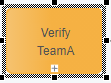
Step 2: Select first task "Verify TeamA" of pool lane "TeamA" and open TAB "Issues"
-
Step 3: Click button "New" to open dialog "Create Issue"

-
Step 4: Enter summary "Detail Analysis", select priority "Normal" and type "Analysis"

-
Step 5: Click button "Save" to add the new issue

-
Step 6: Open any other model and click button "Show Issues" in the toolbar

-
Step 7: Double click at the issue to open model "Automation/Business Process/CreditProcess4EyesPrinciple" with the Task "Verify TeamA" selected