xAPPnow LOW CODE PLATFORM - User Manual 

Still no account yet?

×

User Portal Domain Administration - User&Group Authorization

 
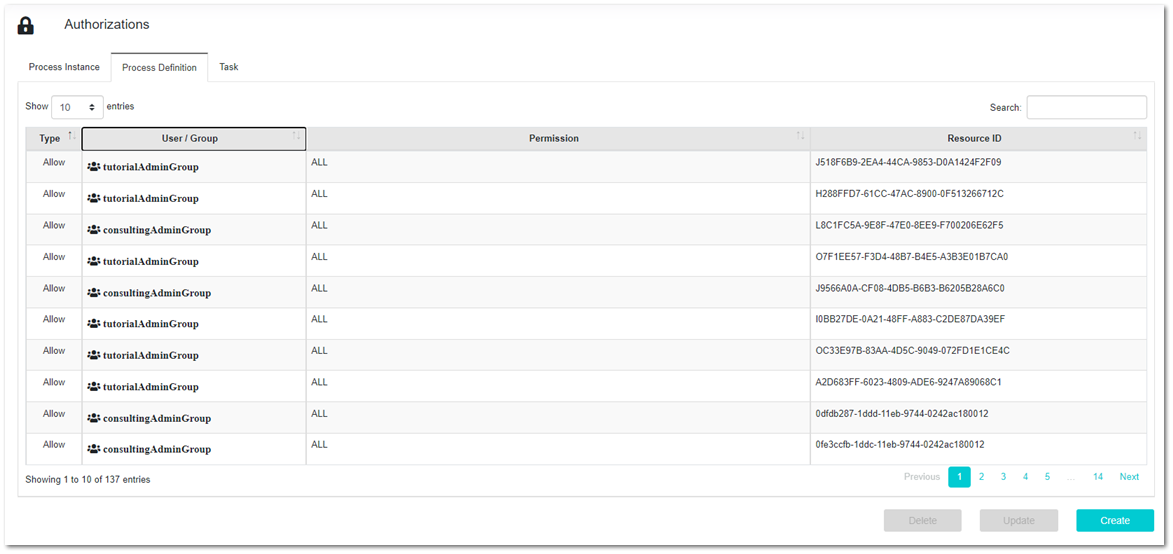
This feature allows to give needed authorizations to users and groups for: permissions of Process Instances, Process Definitions and Tasks. All three options consist on a table and three buttons for the management of them: Create, Update Delete.


User Portal Domain Administration - User&Group Authorization
 
 
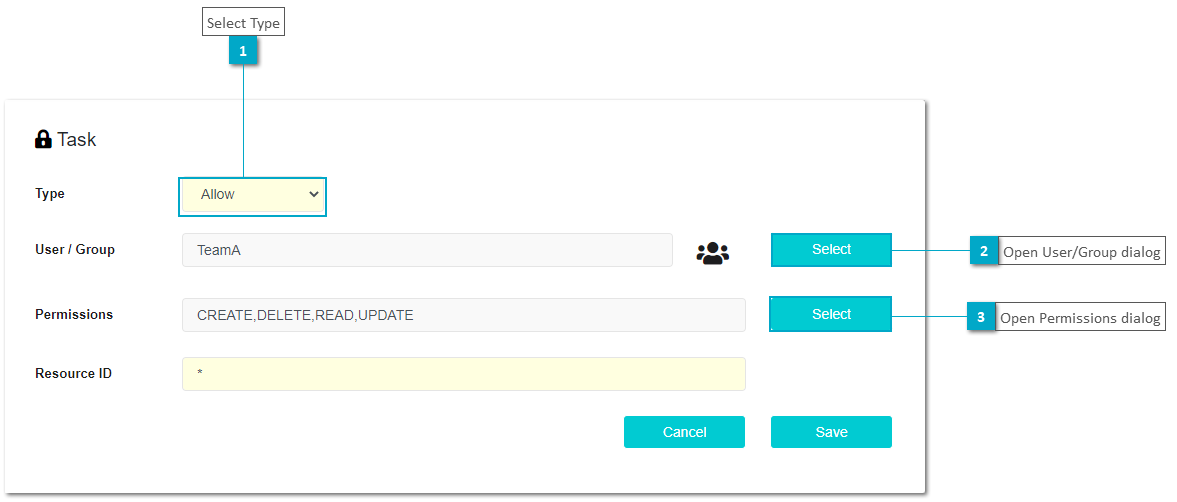
To create or update an authorization a dialog is displayed to select permissions and define the rest of parameters needed. The type could be of type: Global, Allow or Deny.


User Portal Domain Administration - User&Group Authorization
 
 
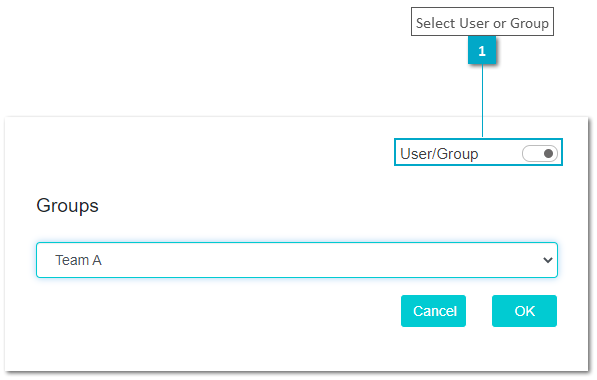
The authorization could be applied to a single user or a group.
 
 
User Portal Domain Administration - User&Group Authorization
 
 
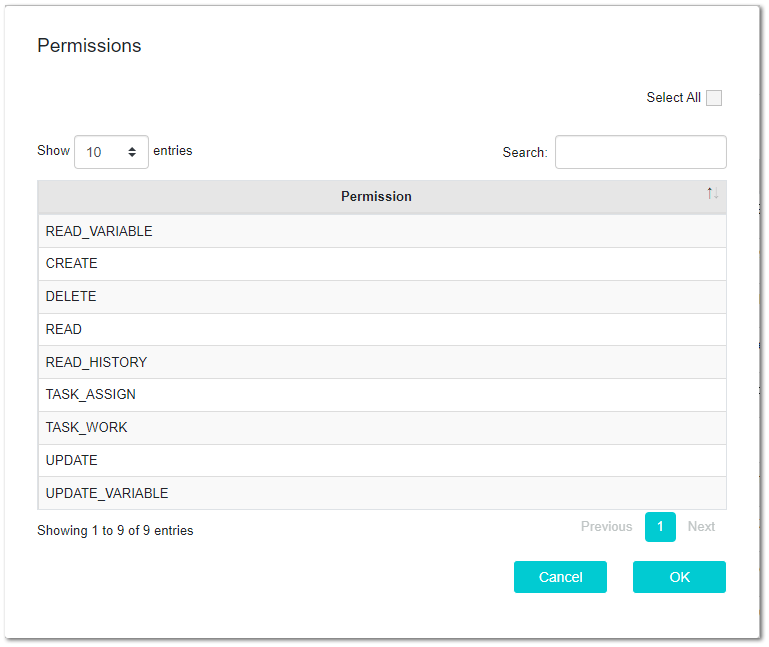
To define the permissions the select button opens the following dialog that displays available permissions according to the authorization. To select permissions use Ctrl Key or select all of them using the checkbox on the right corner.
 
 
User Portal Domain Administration - User&Group Authorization


1

Select Type

1. Select Type
The type could be: Global, Allow, Deny
2

Open User/Group dialog

2. Open User/Group dialog
Click to select user or group
3

Open Permissions dialog

3. Open Permissions dialog
Click to select permissions of the authorizations
1

Select User or Group

1. Select User or Group
Use toggle button to apply the authorization to a user or a group. After the selection the list bellow will display all user or groups available on the current tenant