Training Azure Installation
The goal of this topic is to train you in the installation and configuration tasks of Microsoft Azure Directory.
Create a Virtual Machine
First a Virtual Machine should be created with Ubuntu Server 20.04. We suggest 32 GB of RAM and 8 for CPU. See https://docs.microsoft.com/en-us/azure/virtual-machines/linux/quick-create-portal
Configure Virtual Machine open ports

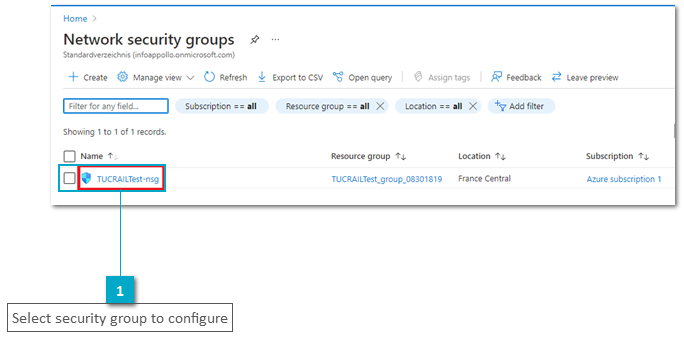


For more details see: https://docs.microsoft.com/en-us/azure/virtual-machines/windows/nsg-quickstart-portal
Configure static ip address for the Virtual Machine
See section Change private IP address to static on https://docs.microsoft.com/en-us/azure/virtual-network/ip-services/virtual-networks-static-private-ip-arm-pportal
Attach new data disk
Attach a new virtual disk of type ssd with 256 GB capacity. See: https://docs.microsoft.com/en-us/azure/virtual-machines/linux/attach-disk-portal
Configure external disk using lvm
See: Exercise 1 on Training Administration Preparations
User access rights to install on the VM
See: Exercise 3 and 4 on Training Administration Preparations