
Training Frontend Service - Error Handling
Chapter Overview
In this training chapter you get familiar with the error handling concepts of the xAPPnow Low Code Platform, which provides the basis for the major quality characteristic reliability and fault tolerancy.
The xAPPnow Low Code Platform offers a multi-lingual errror handling, which mainly can be used by NO-Code, expect business logic related validations and error evaluations. The following grafic demonstrates a typical application layer, which consists of a user page and a service model to integrate an external system. Application errors may occur at any component in any layer with different severities. All such errors can be handled easily based on specific attribute validation configuration, specific error definition objects as well as corresponding out-of-the box attribute validation and default xAPPnow error handler or individiual error handler.
-
User Page:
-
handles data input validation and directly displays UI element specific errors
-
displays business error detected at the UI page itself or detected from a service model
-
Service Model:
-
executes business logic and evaluates related business error
-
executes external system calls which can result in a
-
business error, which can be handled by the application (e.g. concurrent update of a DB query)
-
fatal error, which must be resolved by a system adminstrator (e.g. server not available) or developer (e.g. programming error)
-
Remark:
-
business error are typically displayed within the corresponding UI page in an "Error Message" UI panel.
-
technical (fatal) error can be displayed
-
in a multi-lingual "Fatal Error" UI dialog containing error details and the stack trace
-
or in a "friendly" multi-lingual user message followed by an error process, which triggers a "Fatal Error" user task for the administrator, sends an email etc.

UI Page - Input Validation
-
UI Element - Input Data Validation
The input data validation of a UI element depends on the mapped attribute and can be configured in different variants dependent on the attribute type (see Attribute Values&Validation) in a Business Object Model, Service Object Model and Entity Relationship Model. The validation is executed directly. In case of a validation error the UI element is marked with a red border and the multi-lingual error message is displayed in a tool tip of the UI element.

-
UI Element - Event Validation Script
In addition to the input data validation of a UI element a validation script can be triggered for a specific event of the UI element
-
UI Button - Event Validation Script
In a similar way a validation script of UI buttons can be triggered for a specific event of the button element
-
Action Script Execution
The execution of an action script and the processing of related flows ("Flow" or "No Flow") is only processed, if the validation has no errors.
-
Cancel Flow/Cancel No Flow
A specified "Cancel Flow" and "Cancel No Flow" ignores any validation error of a UI Page
UI Page - Business Error Message
-
Default Error Message
In case of a validation error was detected at the UI page and an event is configured as "Flow" or "No Flow" an unspecific multi-lingual error message is displayed at the top left window

-
Business Error Message
In case of a business error the "Error Message" UI panel can be included into the UI page to display the specific multi-lingual error code definition

Error Object
Each connector has a specific Error Object defined that holds the current error category, error code and error details as well as the boolean attribute isBusinessError (false = Fatal Error). The business object "GenericError" is a general error object to accept all kinds of error.

Error Definition Object
An error definition object is a specific multi-lingual enum containing the possible error codes returned from a connector. In addition to the "Base Error" definition objects below it is possible to define application specific error definition objects. The error definition object "Generic" contains a general error code "ANY".
Additionally, the error definition "ErrorCategory" contains the multi-lingual connector names to be used in UI pages.

Error Handler
The xAPPnow Low Code Platform provides a default error handler for each connector to handle business error and fatal error. This error handler can be easily enhanced for your specific application (see further topics of this training session). We recommend to use a Call element to link the error handler to easily exchange the error handler on-the-fly at runtime.

Fatal Error Handler - Basic
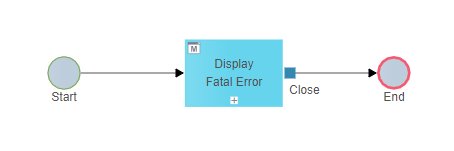
The basic fatal error handler consists of a multi-lingual "Fatal Error" dialog that displays the error catagory, the error code and error details.
Sample "Fatal Error" UI page:

Fatal Error Handler - Advanced
As an enhancement we recommend to use a fatal error handler that displays the "Fatal Error" dialog within the development, only. For the test and production environment a "Fatal Error" process could be initiated and a "friendly" multi-lingual message could be displayed in UI dialog "Display Simple Error to the user.


This "Fatal Error" process could send an email and trigger a user task for the application management, containing the details of the fatal error.

Further enhancements of the error process
In multi-application environments of large enterprises the error process could easily be enhanced with several further steps to resolve the issue process-based (e.g. according to ITIL), notify users about the status and up to the integration of KPI based optimization.
Exercise - Error Handling
In this exercise you can simulate the error handling of various connector (DB Connector, REST Connector, Process Connector, Custom Connector) by throwing business error and fatal error.

-
Step 1: Open tutorial "ErrorHandling" of folder "Automation/Service/Tutorial/Service/ErrorHandling/ErrorHandling"
-
Step 2: Click button "Preview" to directly test the model
-
Step 3: Optionally, click button "Publish" to test the model in User Portal
