Component Tree - xAPPnow Modeling Studio
The component tree of the xAPPnow Modeling Studio allows to upload common artifacts that will be used in the project.

Possible basic components are:
-
CSS files: These files can be used on User Interface Model elements. First the CSS file should be uploaded on the project then the defined class can be used on Element Properties of the UI Elements.


-
Images: These image files will be displayed using UI Image element. See Element Properties - Image. This file will be configured on URL property of UI Image

Images on Basic Component can be access by script. To do this the path should be defined using the resolveURL function given the subfolders and images names.
Ex: var path = BasicComponents.Images.resolveURL("Logo/xAPPnowLogoBlackBG.png")
-
Javascripts: These javascript files can be used for attribute validations. See Attribute - Values & Validations for String types
-
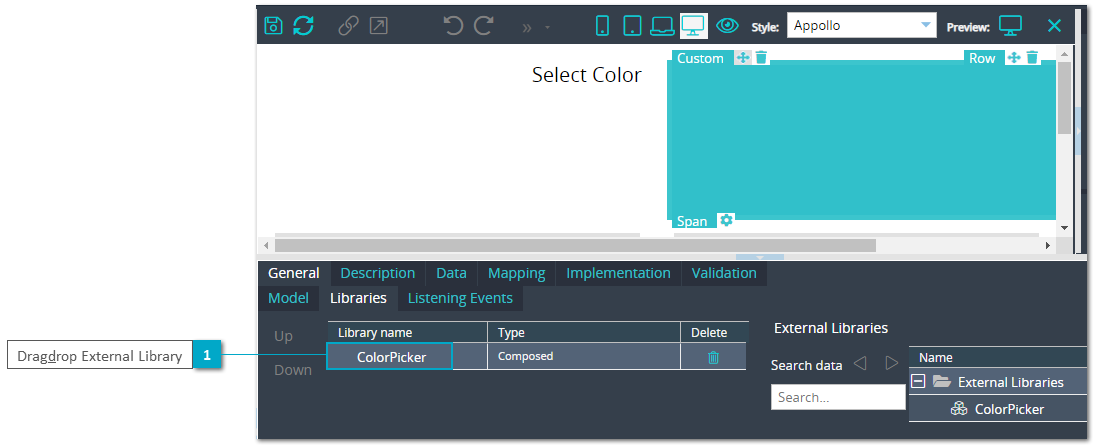
External Libraries: Which can be used on UI Custom element of UIM