Training Frontend Service - Call Element "Subproject Feature"
Chapter Overview
In this training chapter you will get familiar with the Subproject feature of the call element. This sample provides a call element, which calls a service client model inside another different project. This allows to reuse other models and modularize huge projects into subprojects. For this sample we will use a parent project "Tutorial - Subproject" which calls a subproject "OpenWeatherMap". This subproject uses a Rest Connector to return a weather response with: temperature min and max, wind and small weather description given the coordinates as parameters.
REMARK: Data Object Models of both projects: parent and subproject should have same folder, model structure and same so the Business Objects should have same path.
Model Explanation:
-
The following image displays first a UI dialog to enter the coordinates.
-
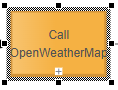
Second a call element is configured to use project "OpenWeatherMap".
-
Third UI dialog displays the weather returned by the rest connector.